AI Image Style Transfer Online

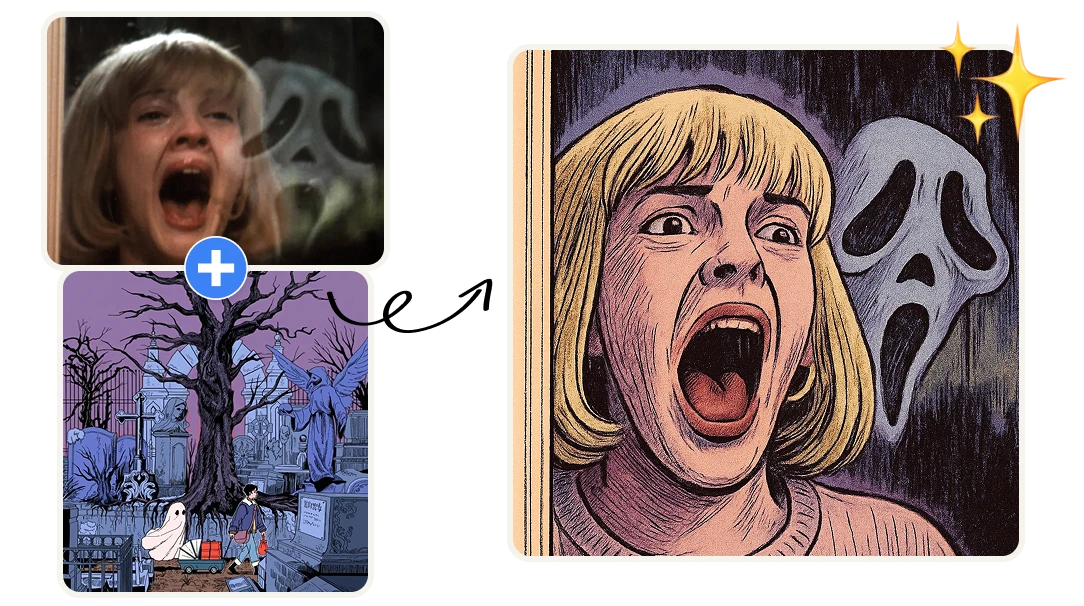
Transform Your Images with AI Style Transfer. Apply the aesthetic of one image to another using AI. If you're a designer, game developer, or content creator, this tool enables you to reimagine your visuals in seconds. No design skills required.

No credit card required
AI Avatar Maker

Transfer the style of one image to another with AI

Image Style Transformation in seconds

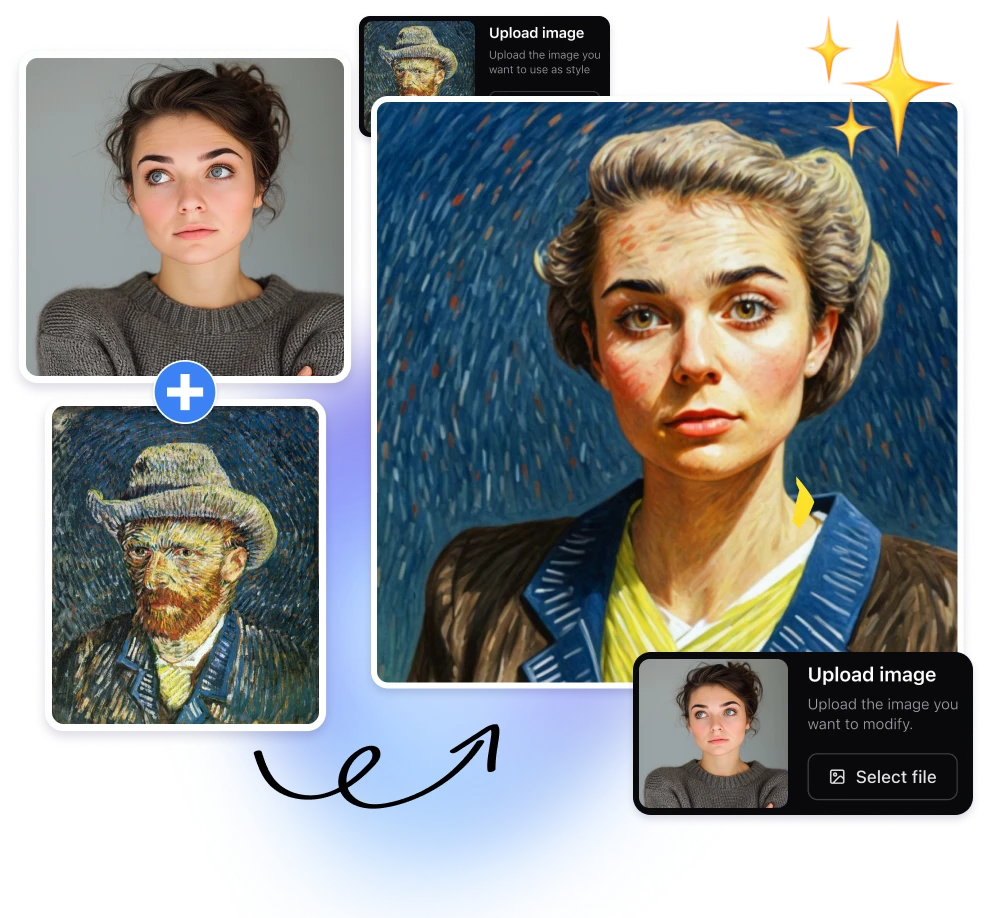
Apply the aesthetic of any reference image to your own visuals in seconds. Whether you're aiming for a Van Gogh-inspired masterpiece or a modern digital art vibe, our AI seamlessly blends styles to elevate your content. Ideal for designers, artists, and content creators seeking to enhance their visuals without the complexity of traditional editing tools.
No Software Required

Instant style transfers directly in your browser—no downloads or installations needed. Unlike traditional software like Adobe Photoshop or mobile apps such as Prisma, our cloud-based solution ensures high-quality results swiftly, making it perfect for professionals and hobbyists alike who value efficiency and convenience.

Integration with Your Workflow

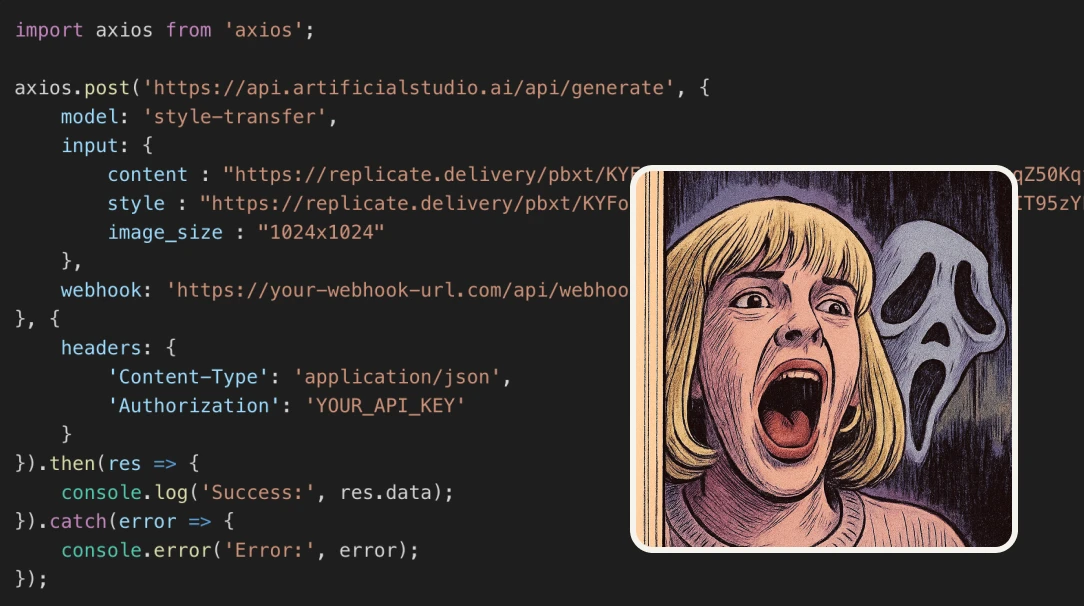
Our tool supports a variety of image formats and resolutions, ensuring compatibility with your existing projects. Whether you're working on game assets, marketing materials, or personal art, integrating AI-driven style transfers into your workflow has never been easier. Plus, our API access allows developers to incorporate style transfer capabilities directly into their applications or pipelines.

How AI Image Style Transfer Works

This tool uses neural style transfer, a deep learning technique that separates an image into two components: content and style. The content represents the structure and objects in the image, while the style captures textures, colors, and artistic patterns. Using convolutional neural networks, the AI analyzes both images and recombines them by preserving the original composition while applying the visual characteristics of the reference style. Instead of copying pixels, the model learns how texture, color distribution, and artistic features behave across the image. This deep learning process allows the AI to accurately understand brush strokes, lighting, contrast, and color harmony, producing natural-looking results.

AI Style Transfer API for Developers

Artificial Studio offers an AI Style Transfer API that lets developers integrate automated image transformations directly into their products or workflows. The platform provides 50+ AI tools for image, video, audio, and creative automation. The API supports batch processing, allowing platforms to transform large volumes of images automatically. For example, a design SaaS could generate brand-styled marketing visuals at scale, or an e-commerce platform could create themed product images for campaigns without manual editing. Built for seamless SaaS integration, the API enables teams to automate creative workflows, generate assets programmatically, and scale content production efficiently.

Advantages of using AI to transfer the style of one image to another

Save Time and Boost Creativity
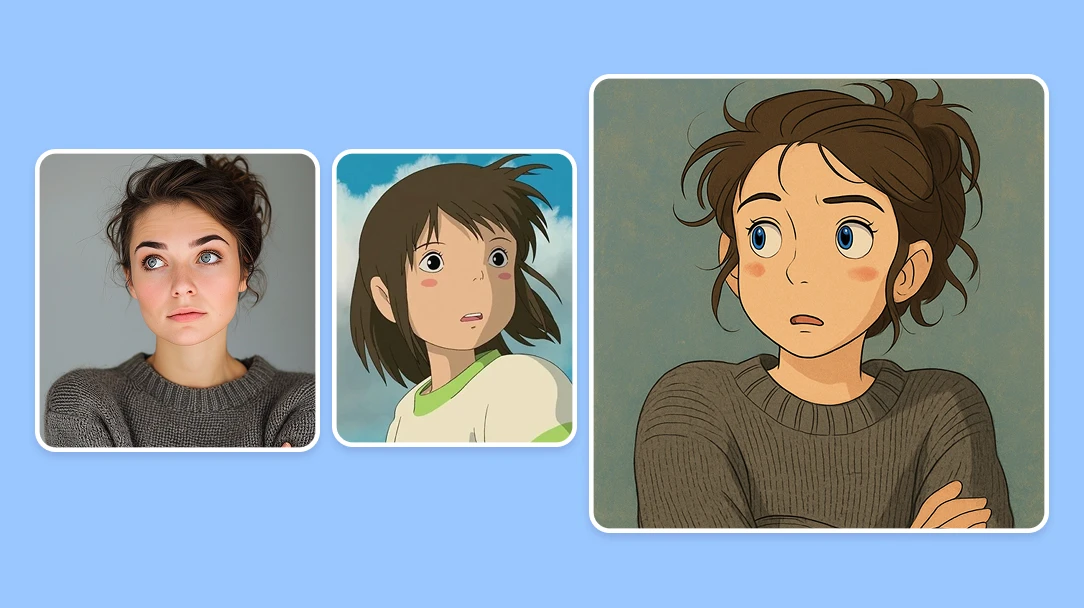
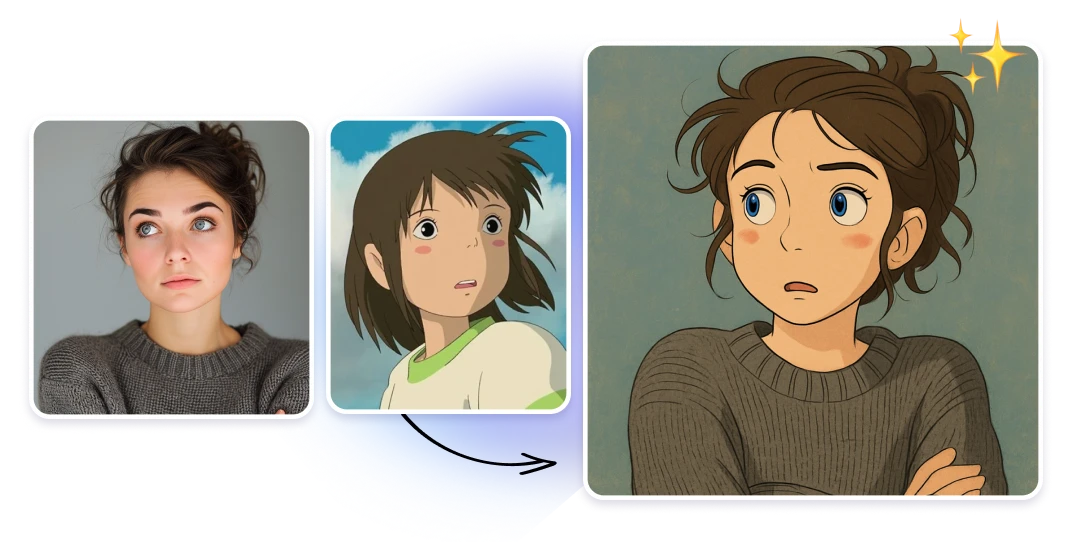
Turn your photos or illustrations into artwork inspired by your favorite styles — instantly. Whether you're aiming for the dreamy textures of Van Gogh, the hand-painted charm of Studio Ghibli, the vibrant aesthetics of cyberpunk, or the nostalgic look of pixel art and anime, our AI brings your vision to life in seconds. Stop wasting time with manual editing and start exploring hundreds of styles with a single click. Perfect for artists, marketers, game devs, and creatives who want faster workflows and more creative freedom.
Affordable Pricing for All Creators
Access high-quality style transfers at a fraction of the cost. Each image transformation costs just 3 credits, and you can purchase 1250 credits for only $10—that's over 400 assets for the price of a coffee. This pricing model makes it accessible for indie developers, students, and professionals alike.
Developer-Friendly API Integration
Integrate our AI Style Transfer capabilities directly into your applications or workflows with our robust API. Whether you're building a design tool, a game, or any creative platform, our API allows for seamless automation and scalability. Join other developers who are enhancing their projects with our powerful style transfer technology.​

Learn how to transfer the style of one image to another with AI

Enter in the Artificial Studio AI tool
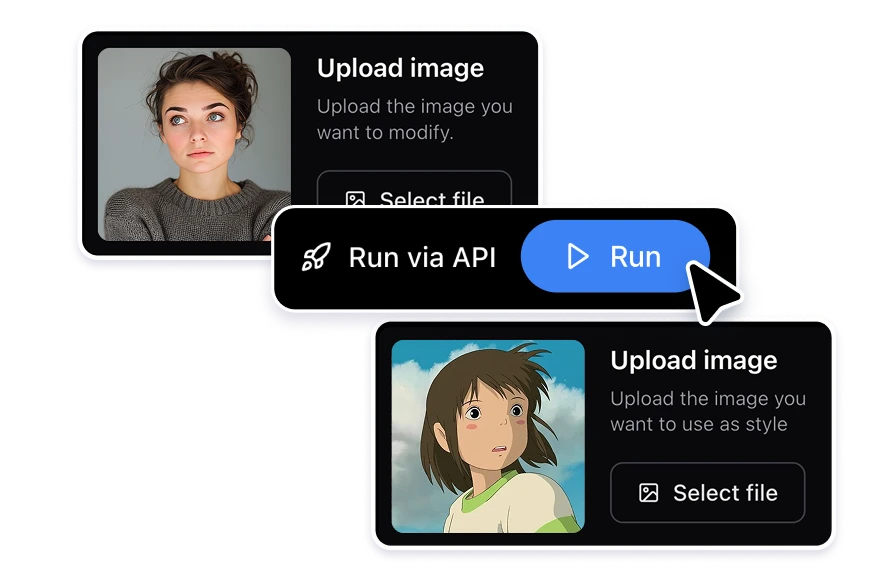
Enter the tool "Style transfer". Here you can see a default example in the right side, with a section on the left to choose the image you want to modify and the one you want to use as style.
Add the images you want to combine
Click in the buttons "Select file" that is at the left side, choose the images you want. Try to choose clear photos.
Generate incredible style combinations!
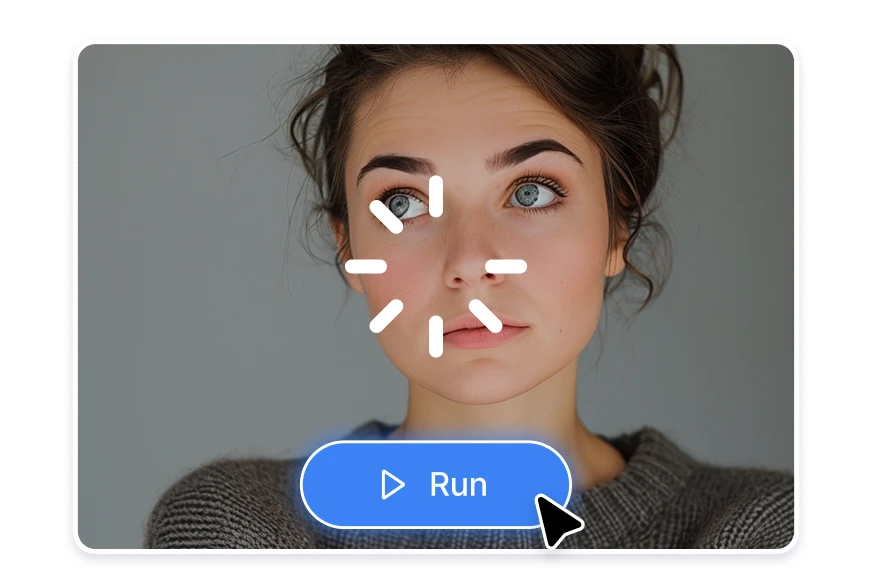
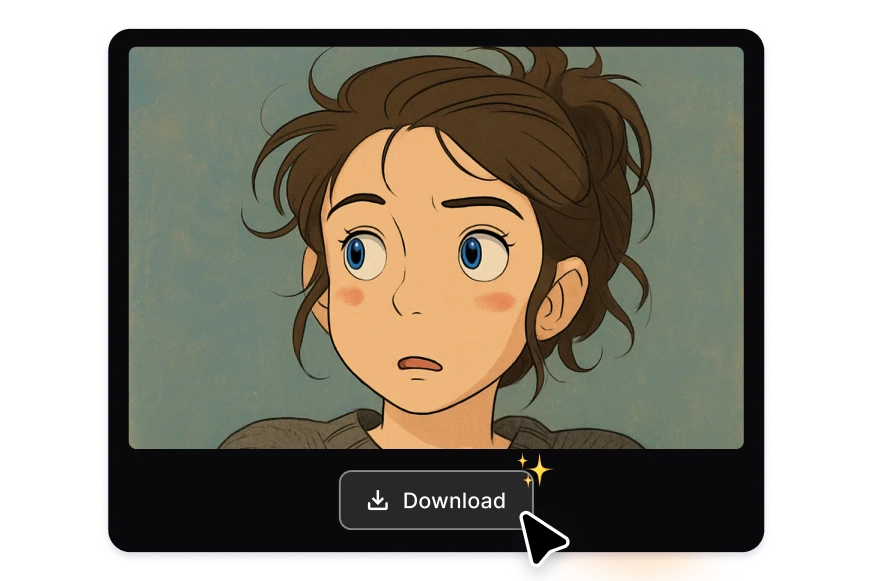
Click the blue button "Run", and within seconds, AI will give you the photo with other style! you can download it directly or edit it in the platform.

FAQs

AI Style Transfer is a computer vision technique that blends the content of one image with the aesthetic style of another. For example, you can transform a photograph to mimic the brushstrokes of Van Gogh or the whimsical charm of Studio Ghibli. This process utilizes deep learning models to extract and apply stylistic elements from a reference image to your original content, creating a unique and artistic result.
Our tool employs advanced neural networks to analyze the content and style of two images. By uploading your original image and a reference style image, the AI algorithm merges them, preserving the structural elements of your content while applying the desired artistic style. This process is executed seamlessly in the cloud, requiring no additional software installations.
You can apply a wide range of styles, including: Classic Art: Van Gogh, Monet, Picasso. Modern Aesthetics: Cyberpunk, Vaporwave, Synthwave. Pop Culture: Studio Ghibli, Anime, Comic Book. Textures: Watercolor, Oil Painting, Sketch. Others: Pixel Art, Isometric, Photorealistic. Simply upload your chosen style image, and the AI will adapt your content accordingly.
It offers affordable pricing. Each style transfer operation costs 3 credits, and you can purchase 1250 credits for $10, allowing for over 400 image transformations. This pay-as-you-go model ensures flexibility and cost-effectiveness for users.
Yes, you can use the images produced by our AI Style Transfer tool for both personal and commercial purposes. This includes applications in game development, marketing materials, social media content, and more. Please ensure that you have the rights to any reference style images used, especially if they are copyrighted.
No installation is required. The AI Style Transfer tool operates entirely within your web browser. Simply visit our platform, upload your images, and the AI will process them in the cloud. This ensures accessibility and convenience across various devices and operating systems.
Yes, we offer a developer-friendly API that allows you to integrate our AI Style Transfer capabilities into your own applications or workflows. This is ideal for developers looking to automate image processing or incorporate style transfer features into their platforms. For more information and access, please refer to our API documentation.
There is no hard limit on the number of images you can process. As long as you have sufficient credits in your account, you can continue to use the tool for your projects.
AI style transfer uses deep learning and neural networks to analyze the structure of an image and recreate it using the artistic style of another image. Instead of applying preset effects like traditional filters, AI image style transfer understands textures, brush strokes, lighting, and color relationships to generate a new, unique visual result. While filters simply overlay adjustments such as color grading or contrast, AI style transfer rebuilds the image using learned artistic patterns, producing more realistic and customizable transformations.
AI image style transfer works best with clear, high-resolution images that have strong visual structure and defined subjects. Photos, illustrations, character art, landscapes, product images, and marketing visuals typically produce the most consistent results. Reference style images with distinctive textures, brush strokes, or color palettes also improve output quality. Choosing well-lit images with balanced composition helps the AI accurately preserve content while applying the selected artistic style.
Yes. AI image style transfer can be fully automated using APIs and batch processing workflows. With Artificial Studio’s API, developers and creative teams can transform large volumes of images programmatically, making it ideal for marketing campaigns, e-commerce catalogs, game asset production, and content platforms. Batch automation allows teams to apply consistent artistic styles across hundreds or thousands of images, reducing manual editing time and enabling scalable creative production.

Related topics