Christmas product photos without a photoshoot

Upload a photo of your product and get it in a Christmas scene in seconds: tree, lights, wrapped gifts. Ready for Etsy, Shopify and Instagram. Free credits every day. No credit card required.

Make my Christmas photo

No credit card required

Christmas product photos without a photoshoot

AI Christmas product photography for every shop

01

Christmas scenes for any product you sell

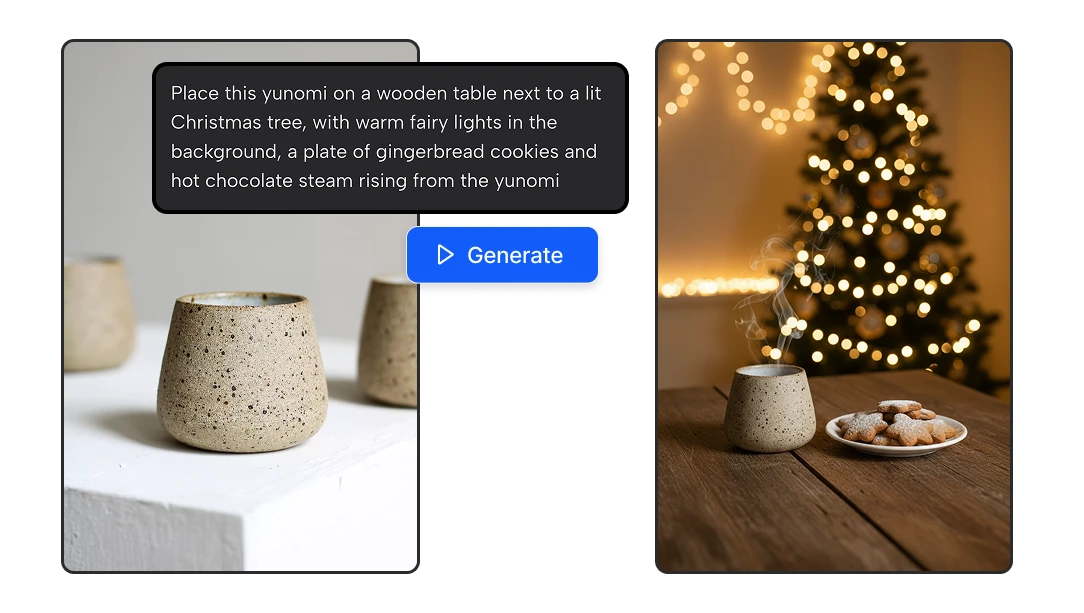
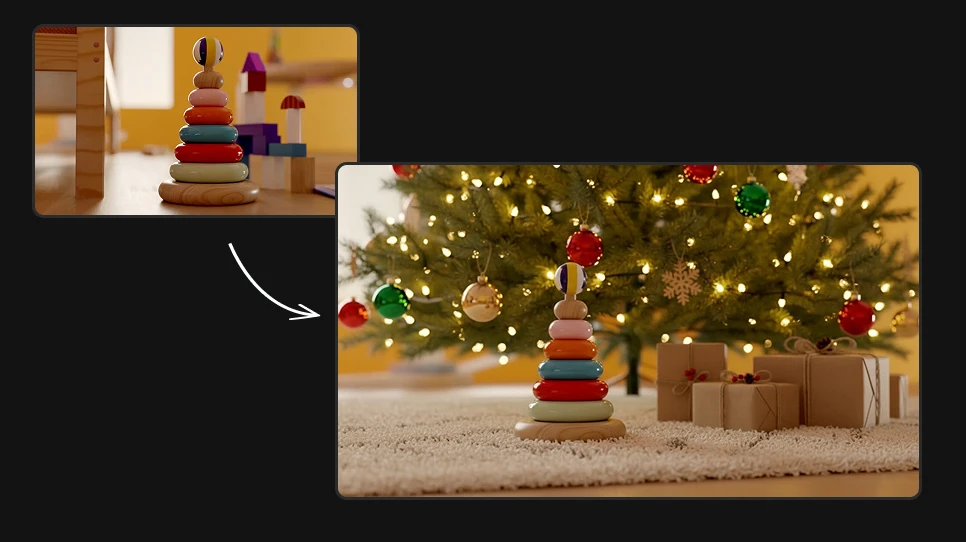
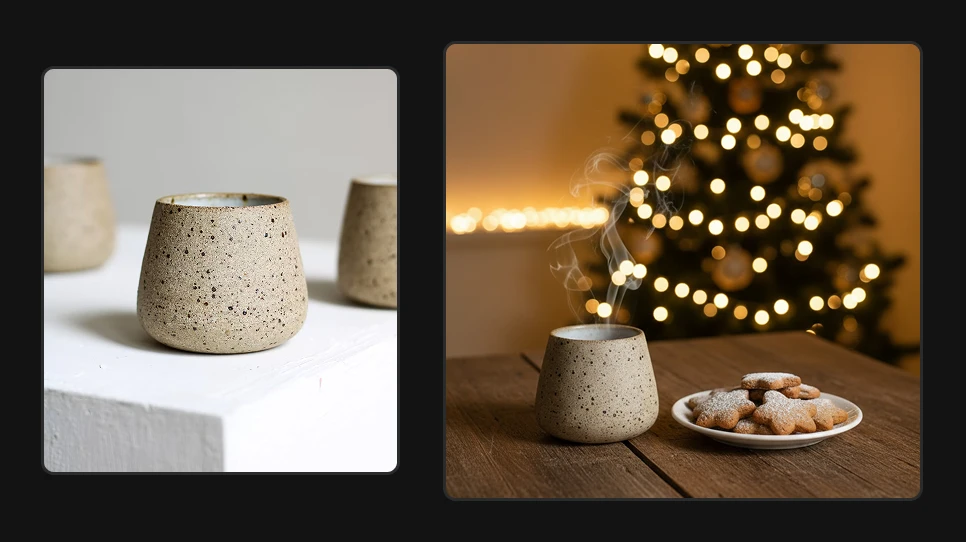
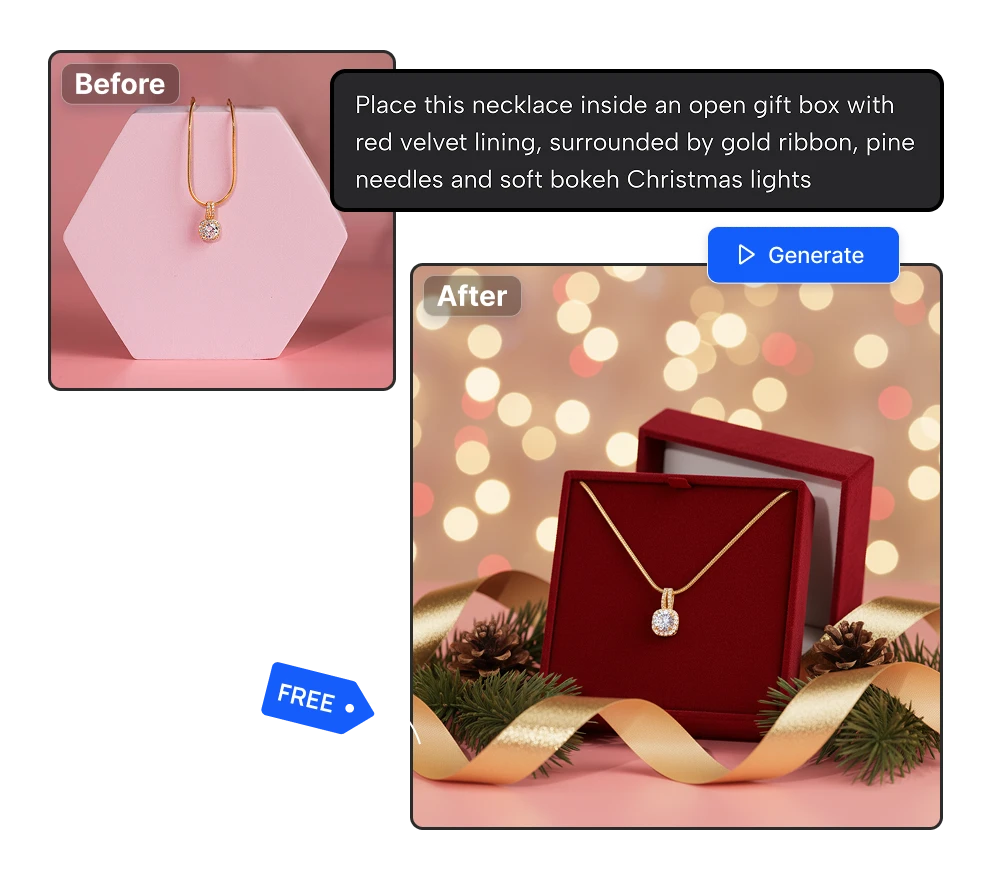
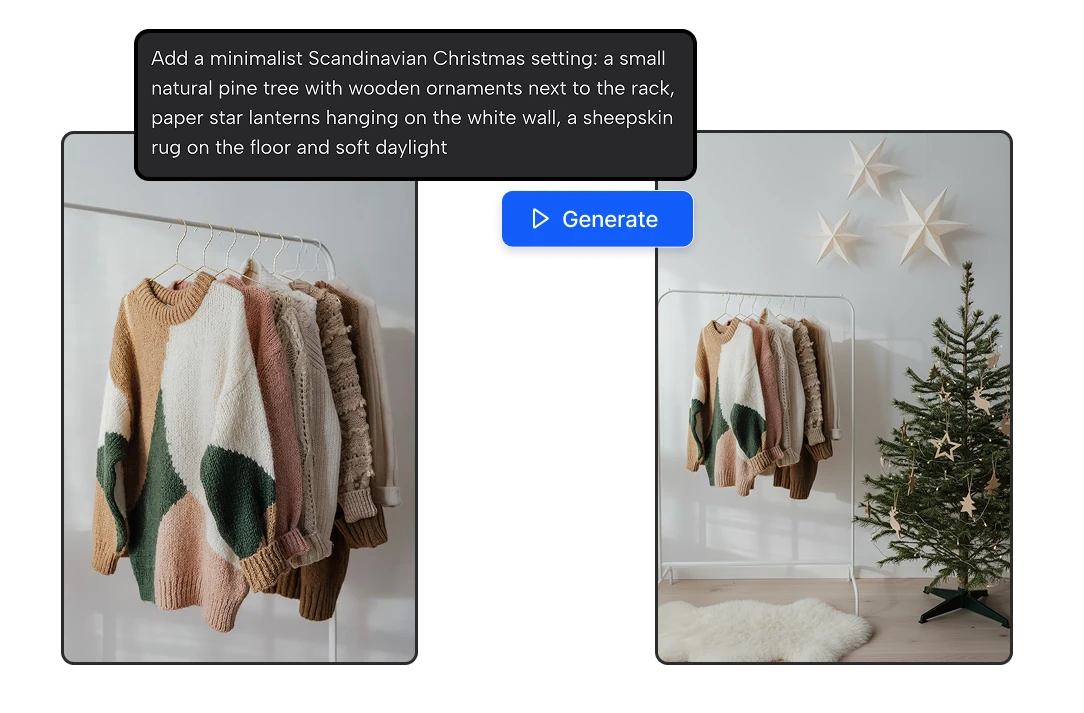
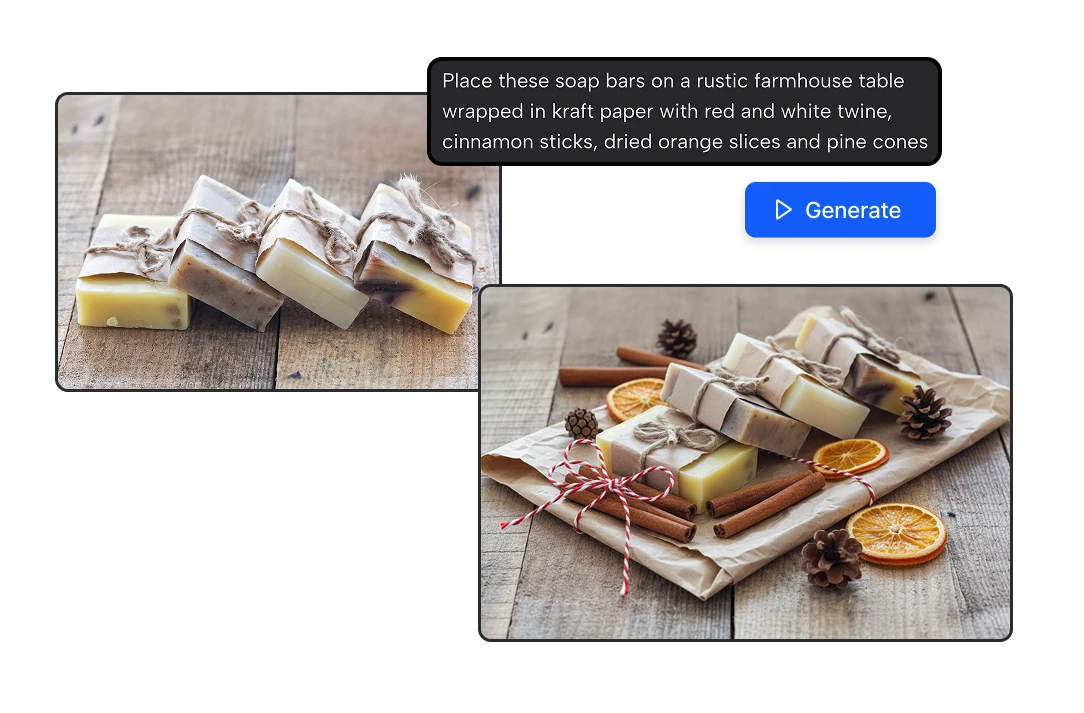
Mugs, candles, jewelry, toys, cosmetics, ornaments, home decor, handmade gifts. Upload one photo and place your product under a Christmas tree, on a cozy table with fairy lights, or next to wrapped presents and pine branches. You describe the scene; the AI builds it around your product, with the light and shadows matching. One product photo becomes a full holiday catalog: festive red, Scandinavian white, rustic farmhouse, snowy outdoor.
Christmas scenes for any product you sell
02

Holiday listing photos for Etsy, Shopify and Amazon

Every marketplace rewards a thumbnail that looks like the season. On Etsy and Shopify, a Christmas scene can be your main photo and your Instagram post in one. On Amazon, keep your main image on a pure white background (that rule doesn't change at Christmas) and use your holiday scenes as secondary images, in A+ Content and in your Sponsored Brands ads. The same photo also works for Pinterest gift guides, Facebook ads and your Black Friday email.

Holiday listing photos for Etsy, Shopify and Amazon
03

Your product stays exactly as it is

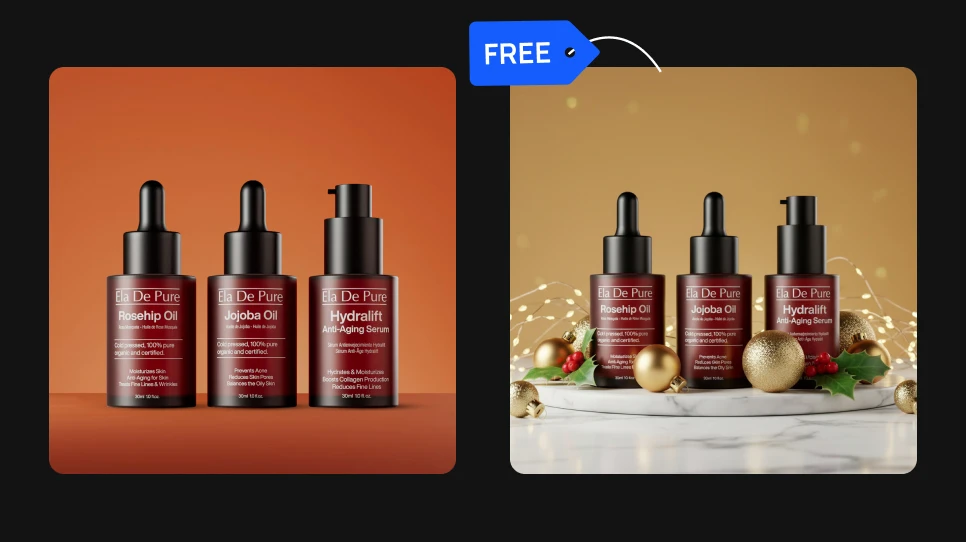
Buyers return gifts that don't look like the photo. Powered by Google’s Nano Banana, the AI changes the scene and keeps your product as it is: the shape, colors, label and details, so what customers see is what they unwrap. That makes these images safe to use in your listings, not just on social media. If something in the scene isn't right, change a few words in the description and generate again.

Your product stays exactly as it is

Why sellers skip the Christmas photoshoot

Your listings are ready before the holiday rush

Christmas shoppers buy early. Holiday shopping kicks off with Black Friday and Cyber Monday, and most gifts are ordered in the first weeks of December. If your listings still show a plain product by then, you've missed the peak. Here you can refresh your whole shop in an afternoon, not over three weekends.

Your listings are ready before the holiday rush

No props, no set, no studio

A real Christmas shoot means buying a tree, lights, ornaments and wrapping paper, setting it all up and hoping the light is right, for photos you'll use for six weeks. Skip the shopping list. Describe the scene you want and your product is already in it.

No props, no set, no studio

Free, so you can photograph your whole shop

Your account gets 20 free credits every day and each Christmas photo costs 8, so you can make two holiday photos a day without paying anything. No credit card, no subscription. Test different scenes, keep the ones that sell, and come back tomorrow for more.

Free, so you can photograph your whole shop

How to make a Christmas product photos for free

1

Upload your product photo.

Any clear photo works, even one taken with your phone on a plain background.

2

Describe your Christmas scene.

For example: "Place this candle on a wooden table next to a Christmas tree with warm fairy lights and wrapped gifts."

3

Press Generate and download.

In seconds your product is in the scene, ready to upload to your listing, your store or your feed.

FAQs

Take a clear photo of your product with your phone, upload it and describe the Christmas scene you want: a tree, fairy lights, wrapped gifts, snow, pine branches. The AI places your product in that scene with matching light and shadows. No studio, no props and no photographer.

As early as you can, ideally in early November. Holiday shopping starts climbing before Black Friday and Cyber Monday and peaks in the first half of December, when shoppers race to beat shipping deadlines. Photos that go live early have time to get clicks, favorites and reviews before the rush.

No. Amazon requires the main image to be on a pure white background all year, Christmas included. Keep your main image white (our White Background Generator does it in one click for free) and use your Christmas scenes as secondary images, in A+ Content and in ads.

Scenes that show the product as a gift sell best: wrapped next to the tree, under a stocking on the mantel, on a table set for Christmas dinner, or in someone's hands by the fireplace. Keep the product as the clear focus, because Etsy thumbnails are small. Cozy, warm-lit scenes tend to fit handmade and vintage shops.

Yes. You describe the scene, so it can be anything: Hanukkah candles, a winter holiday scene with no religious symbols, a New Year's Eve table with champagne, or a snowy outdoor setting that works all winter. When the season ends, the same tool makes Valentine's Day photos.

Yes. One Christmas product photo can be your listing image, your Instagram post, your Pinterest gift guide pin and your Black Friday email banner. Generate a few scenes per product so each channel doesn't show the exact same image.

No. There are no layers, masks or settings. You upload a photo, write one sentence describing the scene and press Generate. If the result isn't right, change the description and try again.

A sharp, well-lit photo where the whole product is visible. A plain background helps but isn't required. Avoid blurry photos, heavy shadows or products cut off at the edges, since the AI works from what it can see.

Yes. The images you create are yours to use in your listings, your store, your ads and your social media.

Each Christmas photo costs 8 credits, and every account gets 20 free credits a day, so you can make two photos a day for free. If you need to photograph a whole holiday catalog, the Starter plan gives you 1,300 credits for $9 a month, enough for about 160 Christmas photos.

It uses Nano Banana Edit, Google's image editing model. It's built to edit a photo from a written instruction while keeping the original subject intact, which is exactly what product photos need: a new Christmas scene around your product, with your product still looking like your product.