Colorize Manga with AI online

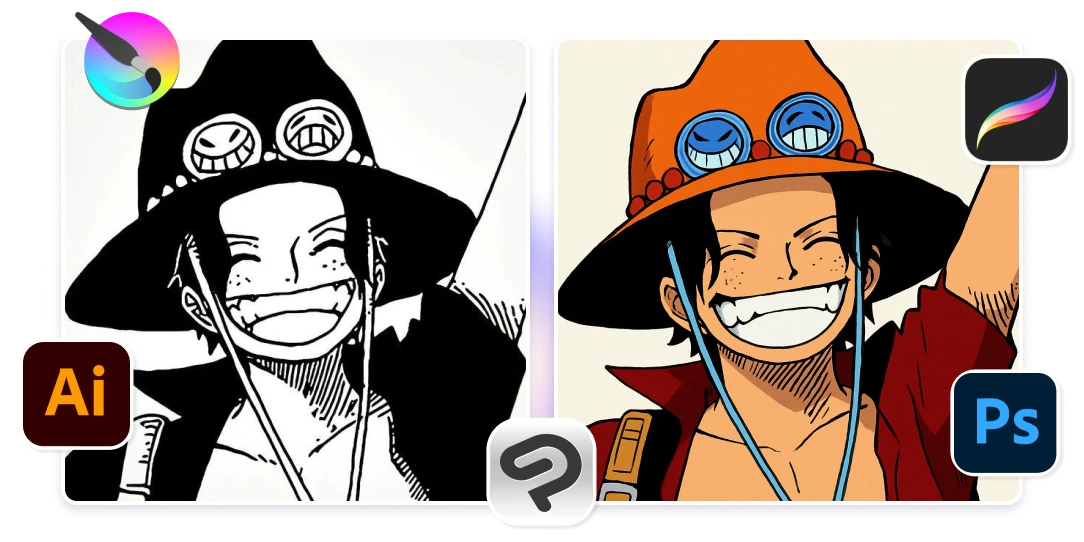
Transform your black and white anime sketches into vibrant, full-color illustrations in seconds using Artificial Studio's AI coloring tool. Designed for mangaka, anime artists, and illustrators, our advanced AI automates the coloring process, improving your creative workflow and bringing your characters to life.

Color your drawing

No credit card required

Colorize Manga with AI online

Add color to your drawings and illustrations in just one click

01

One-Click Anime Coloring with AI

Upload your line art or manga panels and let our AI apply vibrant colors instantly. Save hours of manual work and focus more on your storytelling and creativity. Our AI-powered tool is designed to recognize intricate line art details, ensuring that your characters and scenes are colored with precision. Whether you're an aspiring mangaka or an illustrator, this feature allows you to focus more on storytelling.

One-Click Anime Coloring with AI
02

Style Customization with Prompts

Achieve the exact aesthetic you envision by guiding the AI's coloring style through descriptive prompts. Whether you're aiming for the soft pastels reminiscent of Studio Ghibli films or the bold, dynamic hues found in shonen manga, simply input your desired style, and the AI adapts accordingly. This feature empowers you to maintain artistic control while benefiting from the efficiency of AI.

Style Customization with Prompts
03

Reference Image Integration

Maintain color consistency across your projects by uploading reference images. The AI analyzes these references to apply matching color schemes to your line art, ensuring uniformity in character designs and backgrounds. This is particularly beneficial for serialized manga creators who need to keep character appearances consistent across multiple chapters.

Reference Image Integration
04

Seamlessly Integrate with Your Favorite Software

Once your drawing is colored, you can export it and refine it in Photoshop, Clip Studio Paint, Procreate, Krita, Illustrator, or any other digital art tool. Plus, with Artificial Studio’s API, developers can integrate instant AI coloring into design apps, creative platforms, and game development pipelines—perfect for automating workflows and enhancing digital art tools.

Seamlessly Integrate with Your Favorite Software

Advantages of Using AI Coloring for Drawings & Illustrations

Save Hours of Manual Coloring 🎨

Manually coloring manga, comics, webcomics, and digital illustrations can take hours or even days. With AI-powered auto-coloring, you can instantly apply vibrant, professional-grade colors to your sketches and line art in just one click. Focus more on creativity and storytelling, while AI handles the tedious work!

Save Hours of Manual Coloring 🎨

Affordable Pricing 💰 – 300 colored drawings for $15

With our most affordable plan, you receive 1500 credits, and each colored manga only costs 5 credit. That means for just $15, you can transform up to 300 illustrations into stunning images, making it an incredibly cost-effective solution for designers, illustrators, mangakas and creators. Only $0.05 USD pero drawing.

Affordable Pricing 💰 – 300 colored drawings for $15

For developers: Integrate AI Coloring with our API

Bring the power of AI-driven automatic coloring into your own products and services. With Artificial Studio’s API, developers can automate the coloring process for illustrations, sketches, manga, and concept art, making it easy to improve design apps, creative platforms, and digital art tools with instant, professional-grade coloring—all with a simple integration. 🚀

For developers: Integrate AI Coloring with our API

Learn how to add color into Manga

1

Enter in the Artificial Studio AI tool

The flow is extremely simple. On the left side you will see a section to upload the image, below the space to add the prompt (with the colors and style you want) and on the right side the example result.

Enter in the Artificial Studio AI tool
2

Choose the Image

In the "Upload File" section you will find a "Select file" button where you can choose one of your creations in Artificial Studio or upload a file. Write the prompt with the result you want.

Choose the Image
3

Click the button "Run"

Now that you have everything ready, you can press the blue "Run" button, wait a few seconds, and you will have an image that you can download and publish in your social media! (instagram, TikTok, Facebook, Twitter, Tumblr, etc.)

Click the button "Run"

FAQs

Artificial Studio’s AI Coloring Tool is one of the most advanced AI-powered coloring solutions for digital artists, mangaka, and illustrators. With just one click, our AI colorizes sketches, line art, and manga panels with stunning detail and vibrant palettes, eliminating the need for manual shading or digital painting.

Our AI art generator analyzes your black-and-white drawings, sketches, and manga pages, then applies realistic colors and shading using deep learning algorithms. It understands depth, lighting, and composition to produce high-quality AI-generated coloring in seconds.

Unlike manual coloring in Photoshop, Procreate, or Clip Studio Paint, which can take hours, our AI-powered digital painting tool colors your manga, anime-style art, and line drawings instantly—in just a few seconds!

Manga panels & anime sketches, Hand-drawn black-and-white illustrations, Concept art & character designs, Comic strips & webtoons and Tattoo designs & digital line art.

With our affordable pricing, you get 1000 credits for just $12, and each AI-colored image costs only 1 credit. That means for just $12, you can color 1000 drawings, making it the most cost-effective solution for artists, animators, and creators. You can use the rest of the credits to create image, video and audio in the Artificial Studio's app

Yes! Developers can use the Artificial Studio API to integrate AI-powered auto-colorization into design apps, manga platforms, and digital art tools. Automate the coloring process for line art, anime illustrations, and webcomics with just a few lines of code!

Yes! Artificial Studio prioritizes user privacy and security. Your uploaded drawings are processed securely and are not stored after colorization.