Studio-quality product photos with AI

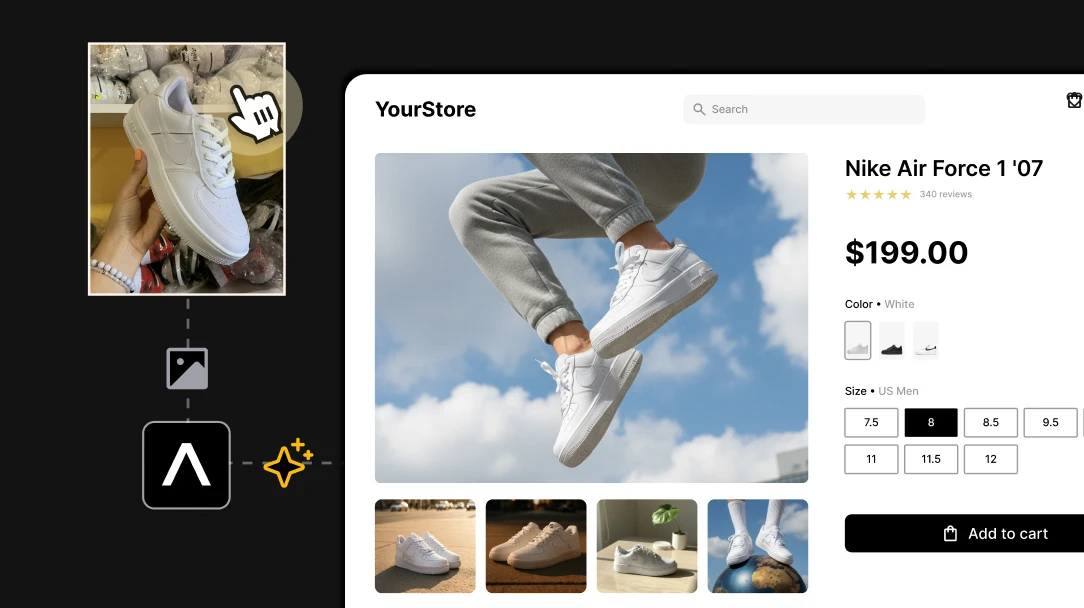
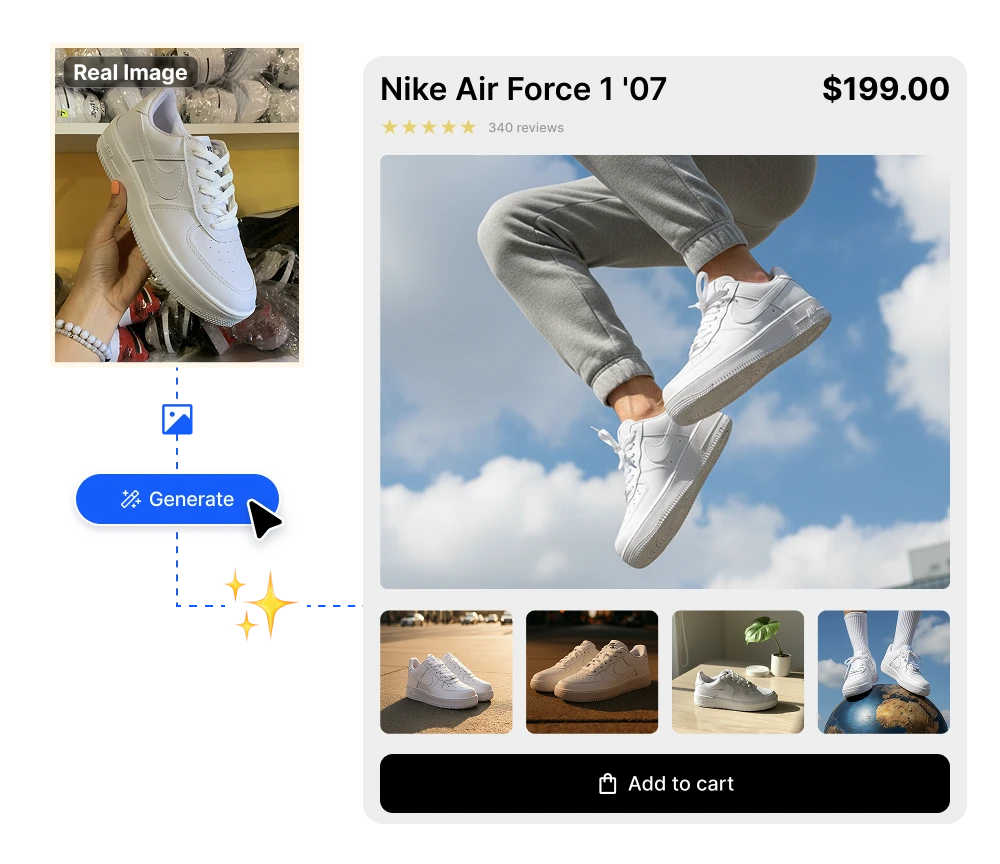
Product imagery is the number-one thing shoppers use to decide whether to buy — and a single on-model look can run $150–300 plus model and studio fees. Edit Image turns the photos you already have into a full, on-brand catalog: pure white backgrounds for the marketplace, studio lighting for every SKU, extra angles you never shot, and resolution that passes Amazon's specs. One product shot in, a whole listing out, in minutes, for cents.

No credit card required
AI Avatar Maker

AI product photo editing tools, from one shot to a full catalog

Edit any product photo by describing the change

Edit your product and apparel photos just by describing what you want. Type something like "change the dress from black to emerald" or "remove the wrinkles from the shirt," and the AI makes the precise edit while keeping the rest of the shot — and your product — exactly as it is. No photographer, no reshoot, and none of the manual work in Adobe Photoshop or Canva, so anyone on your team can produce listing-ready images in seconds.
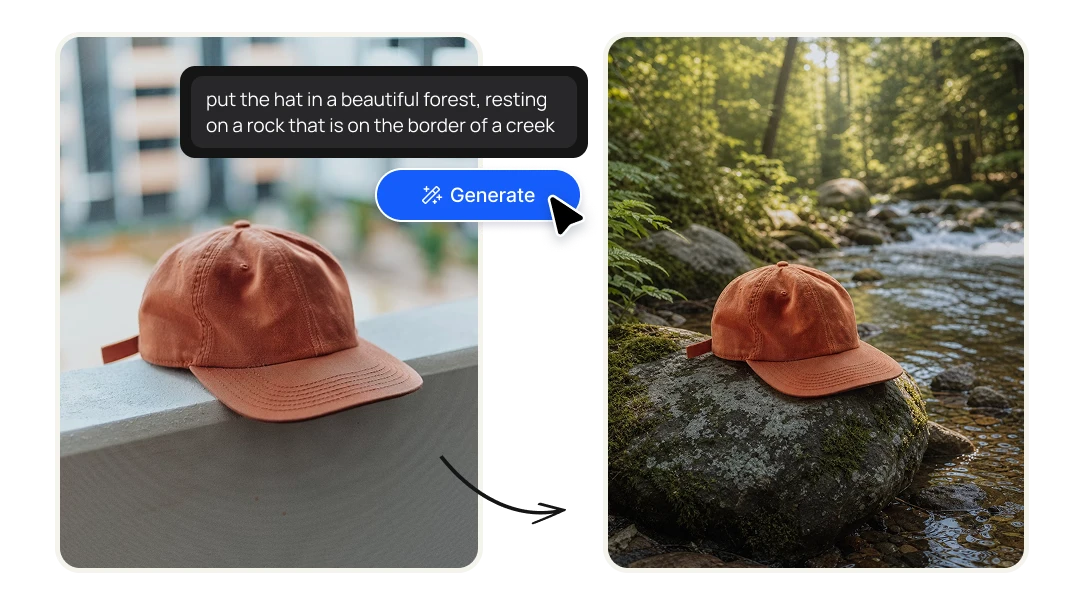
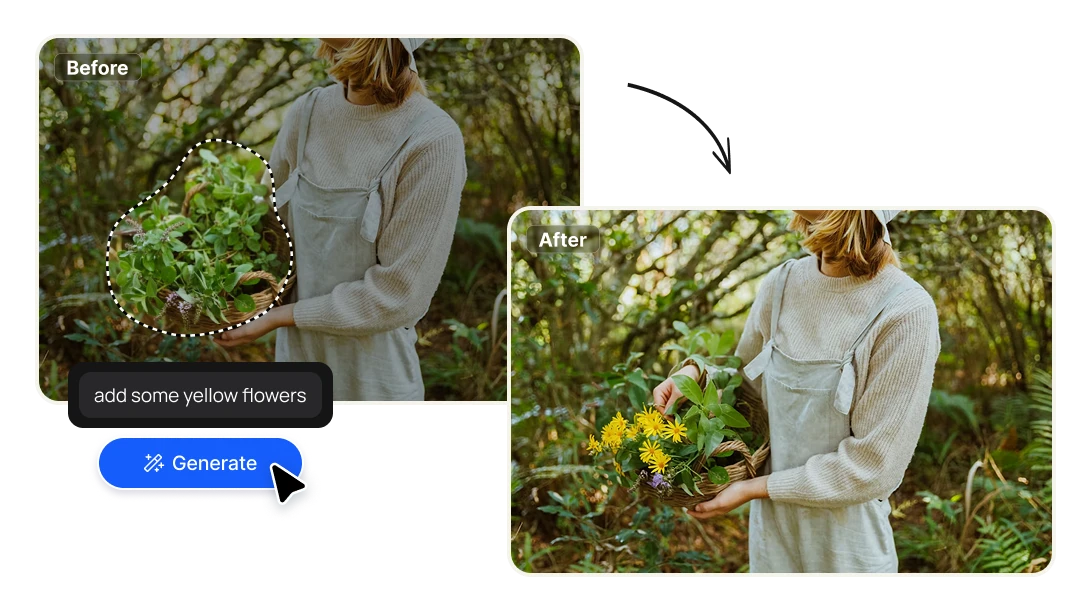
Edit Region — Change a product detail without a reshoot

Brush over one part of the image and describe the change — a different label, a new fabric, a recolored cap — and the AI rebuilds just that area, lighting and texture intact. Update a SKU variant or fix a flaw without booking the product back into the studio. The detail edit that used to mean layers in Photoshop, done in one prompt.

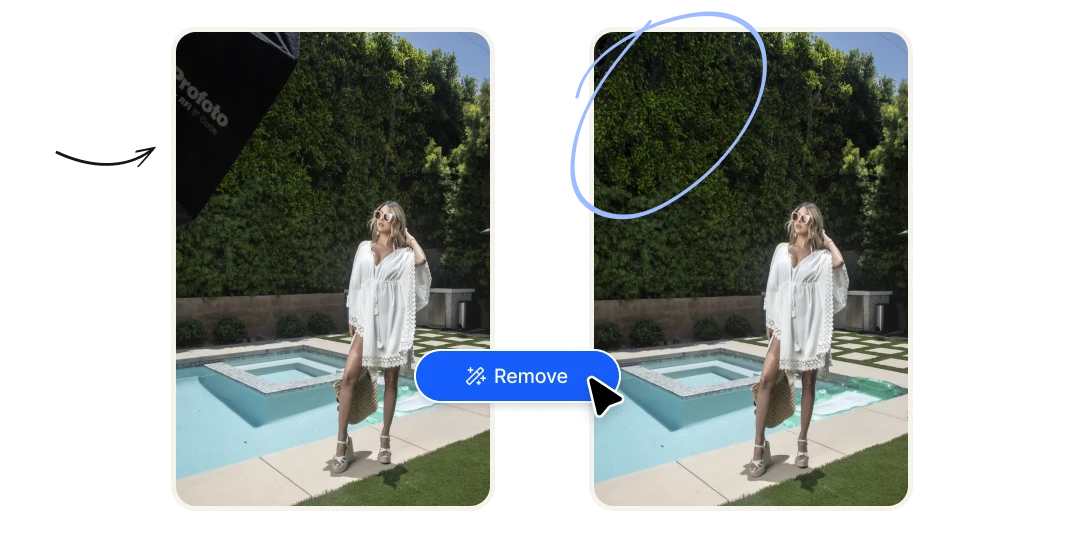
Remove Object — Clean up reflections, hands, and clutter

Paint over the stray reflection on the bottle, the hand holding the garment, the price tag, or the messy background prop, and the AI fills the gap with the scene behind it. Get a clean, distraction-free product shot without minutes of clone-stamping. Perfect for marketplace listings where anything extra costs you the sale.

Crop & Expand — Fit every marketplace and channel ratio

Drag any edge outward and the AI paints in believable new canvas, or pick a ratio and let it expand around the product. One hero shot becomes an Amazon square, a Shopify banner, an Instagram story, and a Pinterest pin — no cropping that cuts off the product, no reshoot per channel.

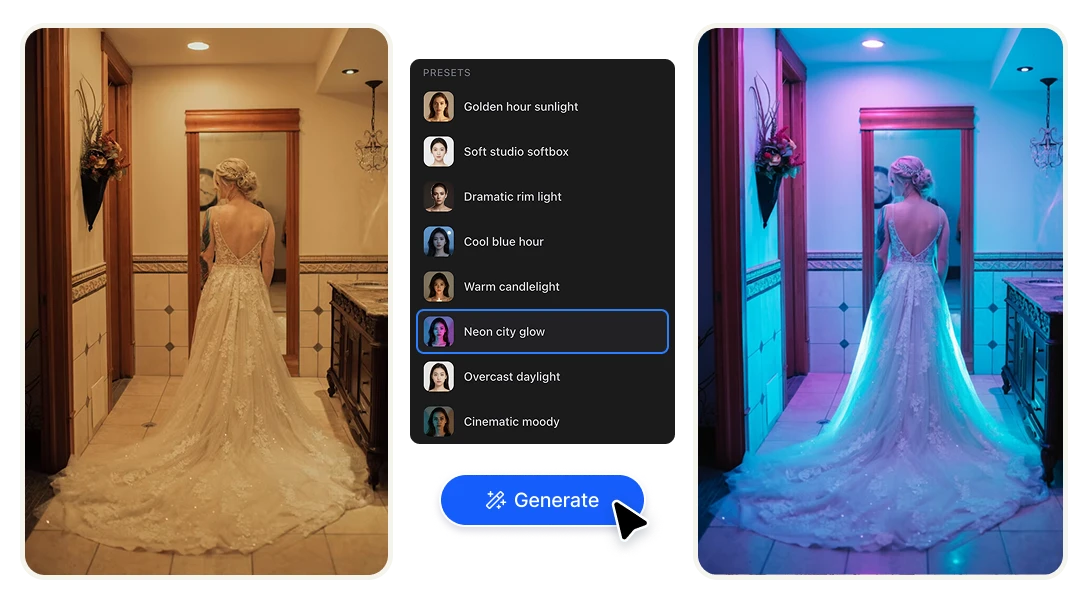
Change Lighting — Add studio light to any product shot

Set the direction, intensity, and mood, and the AI relights the whole scene. Turn a flat phone photo of a product into something that looks like it sat under a softbox, or warm up apparel so the fabric reads true. Studio results without the studio, the strobes, or a photographer day rate.

Color Palette — Show every colorway from one photo

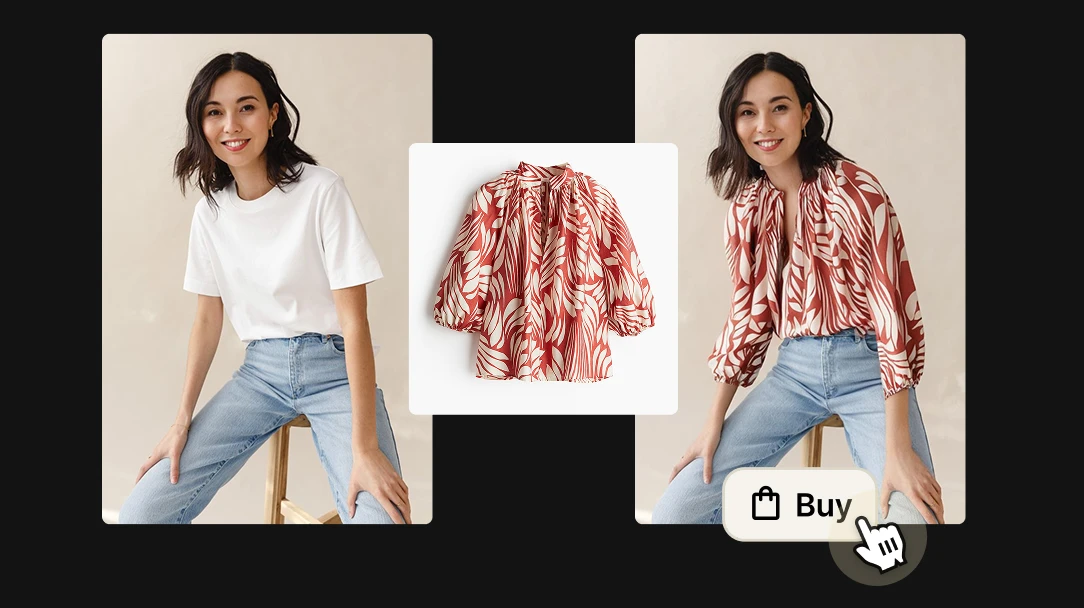
Pick a palette and the AI recolors the product to match it, so you can show every variant without photographing each one. Generate the full color range of a garment or object from a single shot, and keep the whole catalog on your brand colors.

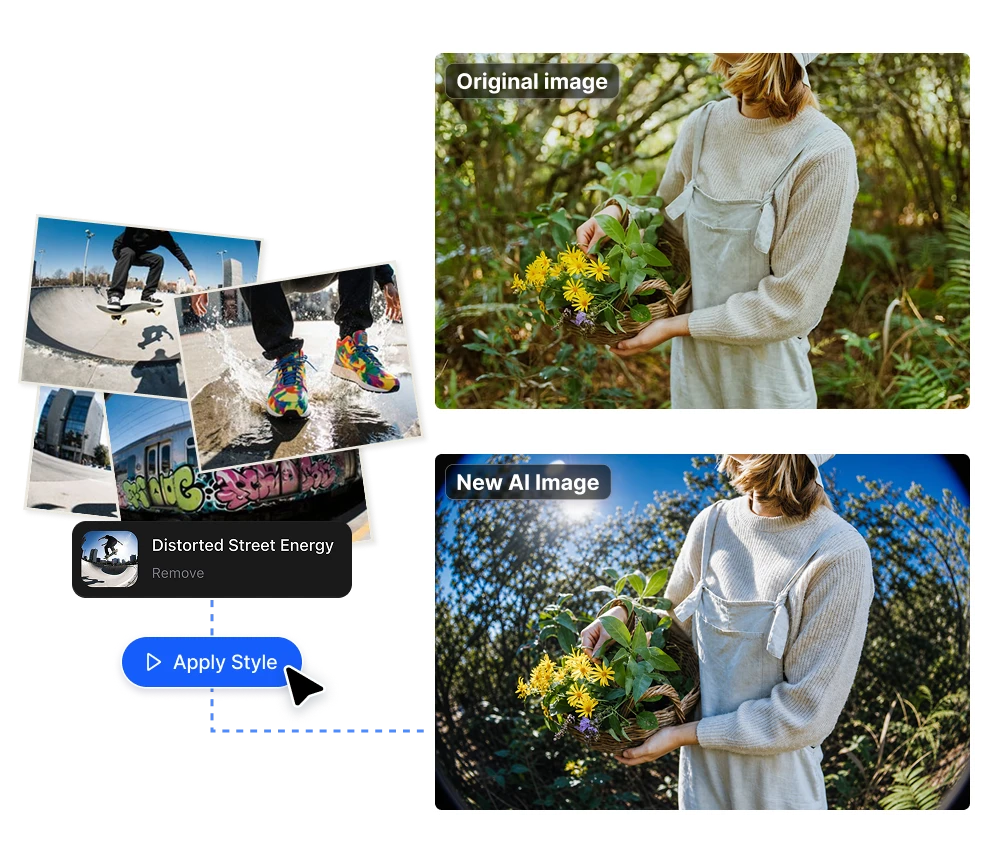
Apply Style — Keep your whole catalog visually consistent

Feed a reference image or a saved style and the AI matches its colors, texture, and mood across your shots. Mixed sources — supplier photos, phone shots, old listings — end up looking like one coherent catalog instead of a patchwork. The fastest way to make a store feel like a brand.

Change Camera Angle — More product angles without more shots

Reframe a product from a new angle — front, profile, three-quarter, top-down — while keeping its identity, lighting, and scene. ASOS lifted mobile conversions 18% just by adding more images per SKU; this is how you get those extra angles without paying for a second shoot.

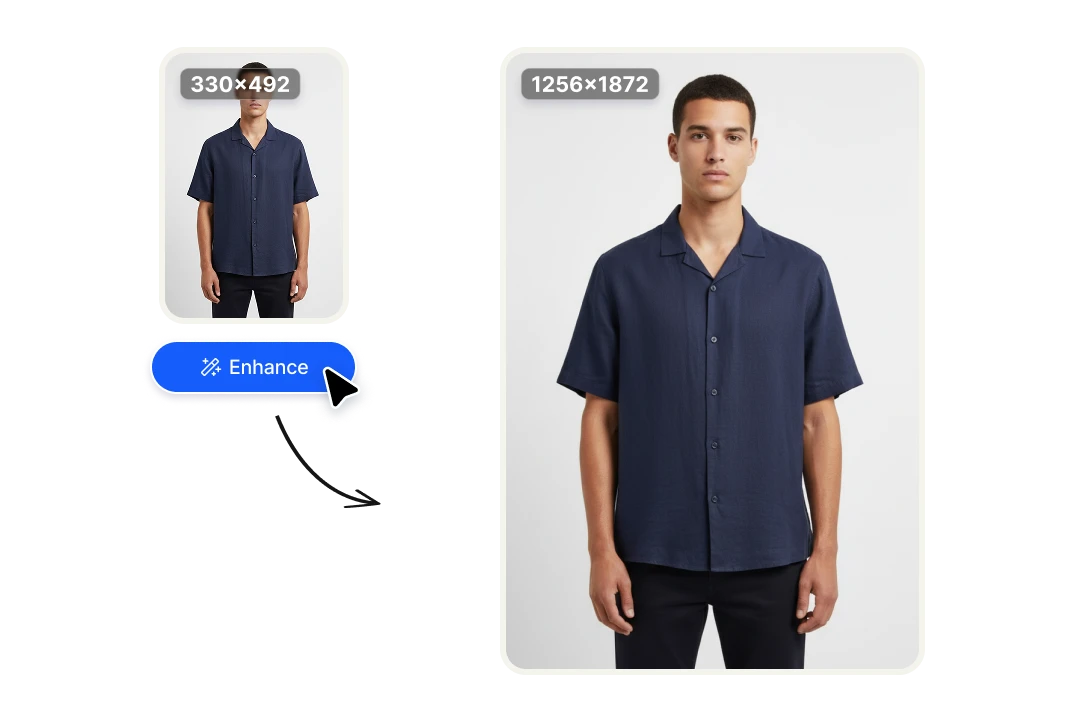
Upscale Image — Hit Amazon's resolution specs and enable zoom

Push small or soft product photos up to crisp high resolution with real detail. Clear the 1,600px minimum that marketplaces need for zoom, rescue a supplier image that came in too small, and let shoppers inspect the stitching before they buy.

Remove Background — Pure white product cutouts in seconds, free

Get a clean cutout with precise edges — even on hair, straps, and fine fabric — and drop the product onto pure white or any lifestyle scene. It's the marketplace-ready white background that tools like Photoroom and remove.bg charge for, here in one click and free.

Why online stores edit product photos with AI

Cut product photography costs from hundreds to cents
On-model and studio shoots run $150–300 a look before model and location fees, and even flat-lay retouching is $50–75 an image. Editing the photos you already have brings that down to credits per edit — brands using AI for product visuals report roughly 30% lower photography costs while keeping quality consistent.
More images per product, more sales and fewer returns
Imagery is the top purchase factor for 46% of shoppers, and showing more angles directly lifts conversion — ASOS saw an 18% jump on mobile from going six images to twelve. More clear views also set fit expectations, which is the single biggest lever on apparel's 20–30% return rate.
A consistent, on-brand catalog at any scale
Supplier photos, phone shots, and old listings rarely match. With one place to remove backgrounds, relight, recolor, and restyle, you can run hundreds of SKUs through the same look — so a growing catalog still feels like one brand, without a studio or an in-house retoucher.

FAQs

Yes — that's the whole point. Start with a basic phone shot or a supplier image and turn it into a clean, studio-grade listing: remove the background, fix the lighting, add angles, and upscale to spec. You keep the photographer for hero campaigns and handle the everyday catalog yourself.
Yes. Remove Background gives you the pure-white cutout marketplaces ask for, and Upscale Image clears the 1,600px minimum that enables zoom on Amazon. You get listing-ready images without manual masking in Photoshop.
Photoroom and Pixelcut are great at the cutout step, but a real product image usually needs more — relighting, an extra angle, a colorway, an upscale. Edit Image keeps all nine of those steps in one editor, so you finish the whole image without hopping between apps or exporting half-done files.
Yes. The tools work on apparel and objects alike — clean up a garment shot, recolor it to show every colorway, relight the fabric so it reads true, and reframe it for each channel. For apparel especially, more clear images is what sets fit expectations and brings returns down.
Not when you control the inputs. You're editing your real product photo, not generating a fake one, so the product stays accurate while the background, lighting, and framing get the studio treatment. Apply Style and Color Palette keep every shot on your brand instead of generic.
Yes — Edit Image is built for commercial e-commerce use: your store, Amazon, Shopify, ads, and social. (As with any AI tool, check the current terms for the specifics of your use case.)
Instead of $150–300 a look, you pay credits per edit — cents, not hundreds. For a store adding products every week, that's the difference between a shoot you have to schedule and budget, and a listing you finish the same afternoon.
Each edit is fast enough to run through SKU after SKU, and because every tool works the same way, there's no learning curve as your catalog grows. You get a consistent look across the store without a studio or a dedicated retoucher.
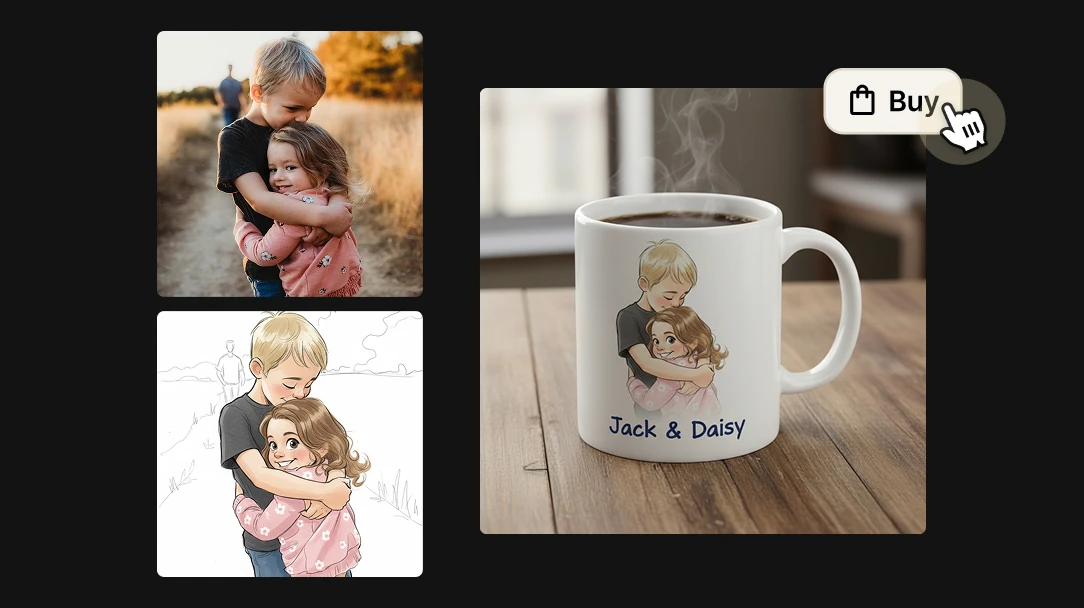
Yes — through the Artificial Studio API you can embed Edit Image and 60+ other AI tools straight into your store, app, or workflow. The most powerful use for e-commerce is virtual try-on: let shoppers upload their own photo and see your clothes on themselves before they buy. Customers who can picture the fit are far more likely to purchase and far less likely to return — early try-on implementations cut return rates by 17–25%. The same goes for the rest of the toolkit: build product customizers, on-the-fly background and color variants, or instant mockups, all running on your site with no AI infrastructure to maintain.